
Genshin Top Up Center vs Login Top-Up: Which Should You Use?

Genshin Impact can be topped up three ways: through HoYoverse's official Top-Up Center, with a UID top-up, or with a login top-up. All three deliver the same Genesis Crystals; what differs is what you hand over and what you pay. This guide compares them, explains why login top-up is now 15–30% cheaper, walks through an order step by step, and covers how to keep your account safe.

All-In-One Bundle
$162.8
$200.94-$38.14Blessing of the Welkin Moon
$4.04
$4.99-$0.9560 Genesis Crystals
$0.81
$0.99-$0.18300+30 Genesis Crystals
$3.82
$4.99-$1.17
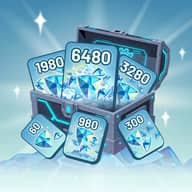
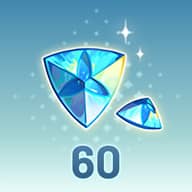
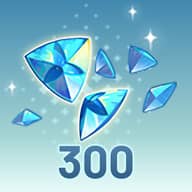
The Genshin Top Up Center is HoYoverse's official web store: you sign in, pick your server and character, and pay. All three routes deliver the same Genesis Crystals. The official Top-Up Center and UID top-ups now charge close to the official price. A login top-up costs 15–30% less, in exchange for sharing your login for one order.
01 Top-Up Center vs UID vs Login: What Actually Differs
Whichever route you pick, the crystals that land in your account are identical. The honest summary is that you're trading convenience and privacy against price.
| Official Top-Up Center | UID top-up | Login top-up | |
|---|---|---|---|
| What you provide | Sign in yourself, pick server and character | UID + server | Email, password + server |
| Login shared | No | No | Yes, for one order |
| Price | Official price | Close to official price | 15–30% below in-game |
| Delivery | Minutes | Usually minutes | 5–30 min |
| First-time double | Applies | Depends on the seller | Applies, bought in your own shop |
| Best for | Paying officially on the web | Never sharing a login | Paying less |
What is the Genshin Top Up Center?
The Top Up Center is the official web store run by HoYoverse. You sign in with your HoYoverse Account, pick your server and character, and pay at the official price. Items arrive in-game exactly like an in-game purchase. It's the most direct official route, but it isn't a cheaper one.
Why login top-up now costs less
For years, UID top-up was the popular way to pay less without sharing a password. That has changed: UID top-up prices are now held close to the official rate, so neither the Top Up Center nor UID sellers have much room left to discount.
A login top-up is completed inside your own account rather than through the UID channel, so it isn't tied to that controlled price. That is where the typical 15–30% saving comes from. Be wary of any site promising a big discount with no login at all: either delivery isn't what it claims, or there's a catch it hasn't mentioned.
Top Up Center or UID if
Login top-up if
KeyGold offers Genshin Impact as a login top-up only, for every server and for mobile, PC and PS5. Prices for each pack are on our Genshin Impact login top-up page.
02 How to Use the Genshin Top Up Center
The Genshin Top Up Center is HoYoverse's own payment page for Genshin Impact, separate from the in-game shop. It sells the same items: Genesis Crystals, Blessing of the Welkin Moon and the Gnostic Hymn.
Sign in with your HoYoverse Account
Use the same account your game is linked to. If you normally play through a Google or Apple sign-in, sign in the same way so you land on the right account.
Pick your server and character
Choose America, Europe, Asia or TW/HK/MO, then select your character. If no character appears, you are usually on the wrong server or signed into a different account.
Choose an item and pay
Select a Genesis Crystal pack, Welkin Moon or Gnostic Hymn and pay with a method available in your region. Prices follow the official rate, so this route is official but not discounted.
Check in-game
Crystals are credited to your account, usually within minutes. If they don't show, restart the game so the shop balance refreshes.
Does the first-time double bonus work on the Top Up Center?
Yes. Each Genesis Crystal tier doubles the first time it's bought on your account, and that bonus is tracked per account, not per store. A tier you already doubled in-game won't double again on the web. HoYoverse occasionally resets these first-purchase bonuses and announces it in official news, so check before buying a tier you've used.
Is the Top Up Center cheaper than in-game?
Not really. It charges the official price for your region, the same as buying in-game. Its advantages are convenience and payment choice, not price. If price is what you care about, a login top-up costs 15–30% less for the same items, as the comparison above shows.
03 What Happens During a Login Top-Up
Choose your product
Pick the Genesis Crystal pack, Blessing of the Welkin Moon or Gnostic Hymn you want on our Genshin Impact page. The discounted price is shown next to the official one.
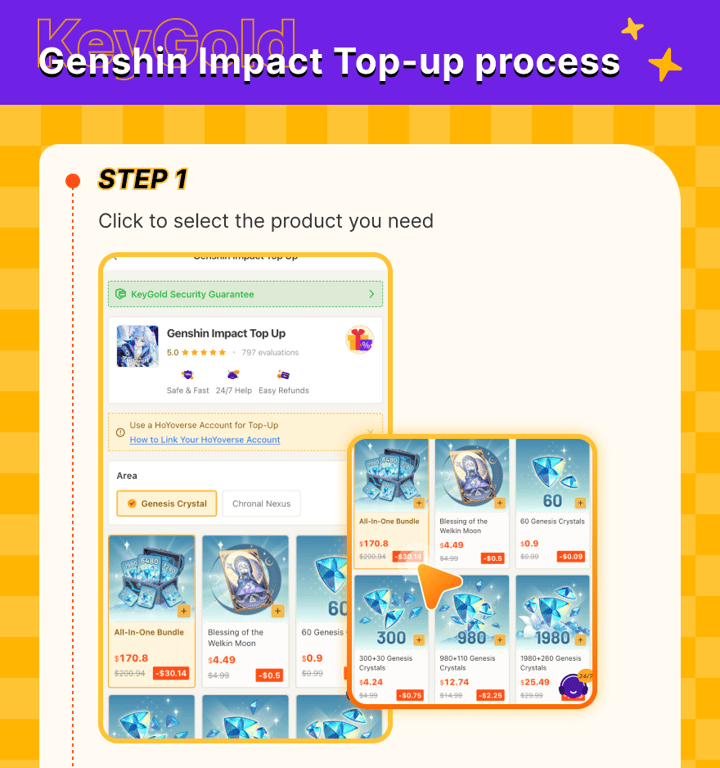
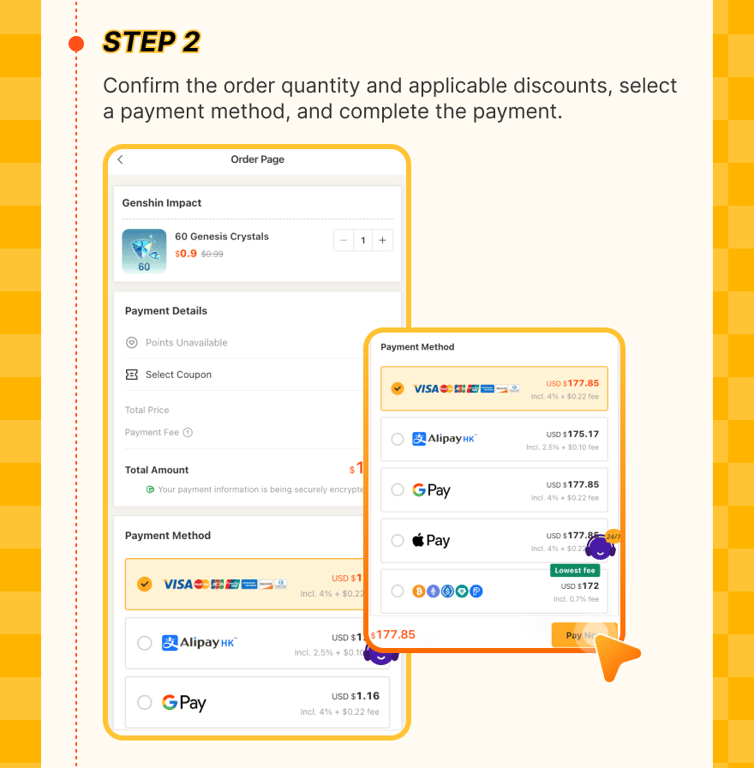
Confirm and pay
Check the quantity, apply any coupon, choose a payment method and pay. The total in your own currency is shown before you confirm.
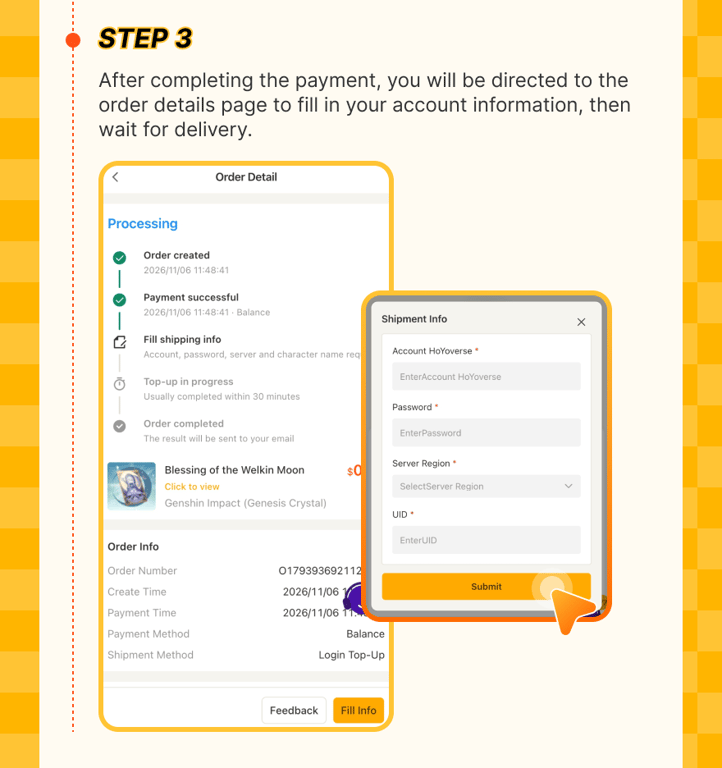
Enter your account details
After payment, the order page asks for your HoYoverse Account email, password, server (America, Europe, Asia or TW/HK/MO) and UID. If you sign in with Google or Apple, set an email and password first under Paimon Menu → Settings → Account → User Center.
Send the verification code, if asked
HoYoverse often emails a code when an account signs in from a new device. Our team will ask you for it in live chat, so keep your inbox open and send it within 5 minutes. A late code is the most common reason an order waits.
Purchase and confirmation
We buy the item in your in-game shop, sign out, and email you a confirmation. Most orders finish in 5 to 30 minutes, a little longer on new banner days.
Plainly put: a login top-up does need your login. That is the trade for the lower price. If you'd rather not share it, the Top Up Center and UID top-ups both avoid it at close to the official price.
04 How We Protect Your Account
On our side
On your side
05 What You Get: Bonuses Still Apply
Because the purchase goes through the shop on your own account, everything works exactly as if you'd bought it yourself:
First-time double
Every crystal tier still doubles the first time it's bought on your account. Claim each tier once before repeating any.
Welkin Moon
Activates straight away and pays 90 Primogems a day for 30 days whenever you log in.
Gnostic Hymn
Unlocks the paid Battle Pass track for the current version, with rewards claimable as you level.
Top-up events running at the time apply too, and on PS5 the crystals are credited straight to your PlayStation balance. One distinction worth knowing: what you buy is Genesis Crystals, which you convert to Primogems 1:1 in the shop. Our Genshin spending guide ranks every pack by value per dollar.
06 Common Problems and Fixes
| Problem | Fix |
|---|---|
| Order stuck at "processing" | Almost always a pending verification code. Check your inbox, including spam, and send it to live chat. |
| Login failed | Usually a typo in the email or password, or a Google or Apple sign-in with no password set. Contact support before reordering. |
| Wrong server selected | Tell support straight away. Before processing starts, it can usually be corrected. |
| Crystals not showing | Restart the game. The shop balance doesn't always refresh live. |
| Slower than usual | New banner days bring a surge of orders. Everything is processed in queue order, and you can track it in Order Record. |
Pay 15–30% less than in-game
Genesis Crystals, Welkin Moon and Gnostic Hymn on every server, with your first-time double bonus kept. Most orders land in 5–30 minutes.
Top Up Genshin Impact